An ERP Supply Chain & Order Tracking mobile solution redesigned to optimize the end-to-end procurement workflow, enabling business buyers and procurement teams to manage orders, monitor stock and track deliveries in real time.
Role
Product Designer
Category
B2B Apps
Platform
Mobile app · iOS & Android
Timeline
4 months
Scroll
Outcome
Real-time delivery visibility, without the phone calls.
01
Frictionless procurement UX
Redesigned complex ERP supply chain interactions into a clear, task-oriented mobile application tailored specifically for procurement teams.
02
End-to-end tracking visibility
Replaced fragmented status updates with a centralized, real-time order tracking interface.
03
Production-ready mobile design system
Built a comprehensive Figma design system and interactive prototype ready for developer implementation.
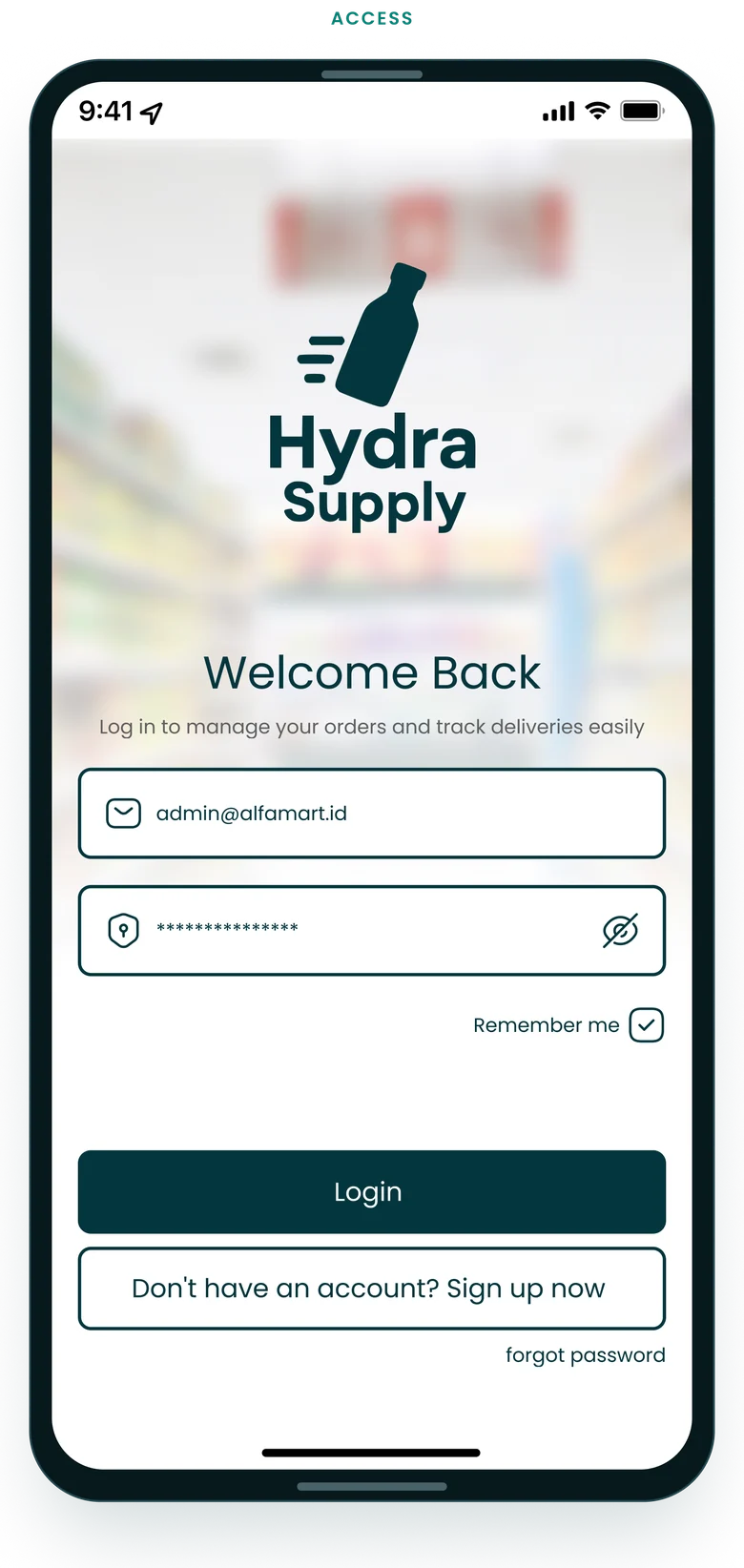
The MVP addresses the main pain point — no real-time shipment tracking — with a simple flow to log in, track shipments and get support.
Reduces uncertainty
Improves shipment visibility
Peace of mind for retail buyers
(01)
Overview
Hydra Supply is an MVP for an ERP-based supply chain and order tracking solution between a supplier, Hydra Supply, and its retail buyers such as Minimart+. The primary focus: let buyers log in and follow every shipment in detail — more transparency and less back-and-forth for both sides.
(02)
The problem
Procurement staff faced significant operational friction due to disjointed order tracking and rigid supply chain software. Traditional ordering processes were plagued by lack of real-time status visibility, complex catalog navigation and tedious manual approval steps — leading to delays in stock replenishment and miscommunication with suppliers.
01 · Problem
Users struggle with
Lack of real-time tracking for shipment details
Difficulty accessing complete order information
Inefficient communication about delivery status
02 · Why
Why it’s needed
Clients still phone in to track their orders
No platform gives real-time shipment data
Without it, businesses risk losing clients to competitors with better tracking
03 · Goal
Objectives
An MVP focused on the essential: log in and track detailed shipment information
Clear, real-time updates on shipment status and order details
A smoother supply chain for both suppliers and buyers
(03)
Who it’s for
Procurement staff & business buyers
Need a frictionless mobile interface to place recurring bulk orders, track active shipments step by step and manage vendor catalogs without manual delays.
Supply chain & logistics ops
Require clear visibility into order status, dispatch schedules and delivery milestones to keep operational supply chains moving efficiently.
A
User persona
Andi
Role
Procurement staff
Company
Minimart+
Based in
Bekasi, Indonesia
Tech savviness
Moderate
Andi works in purchasing at Minimart+, a growing convenience store chain. He handles regular restocking from suppliers like Hydra Supply and coordinates with store branches to keep deliveries smooth.
Pain points
No real-time tracking; relies on manual confirmation by phone.
Inconsistent communication — invoices or item lists sometimes go missing.
Hard to explain delays or incomplete orders to the store team.
Too many apps; needs something lightweight and focused.
Goals
Every shipment from Hydra Supply arrives on time and complete.
Less time spent following up by phone or WhatsApp.
Track multiple orders easily, even on the move.
Give the store manager accurate updates.
Needs
A mobile-friendly way to check status at a glance.
A clear ETA and delivery progress bar for each order.
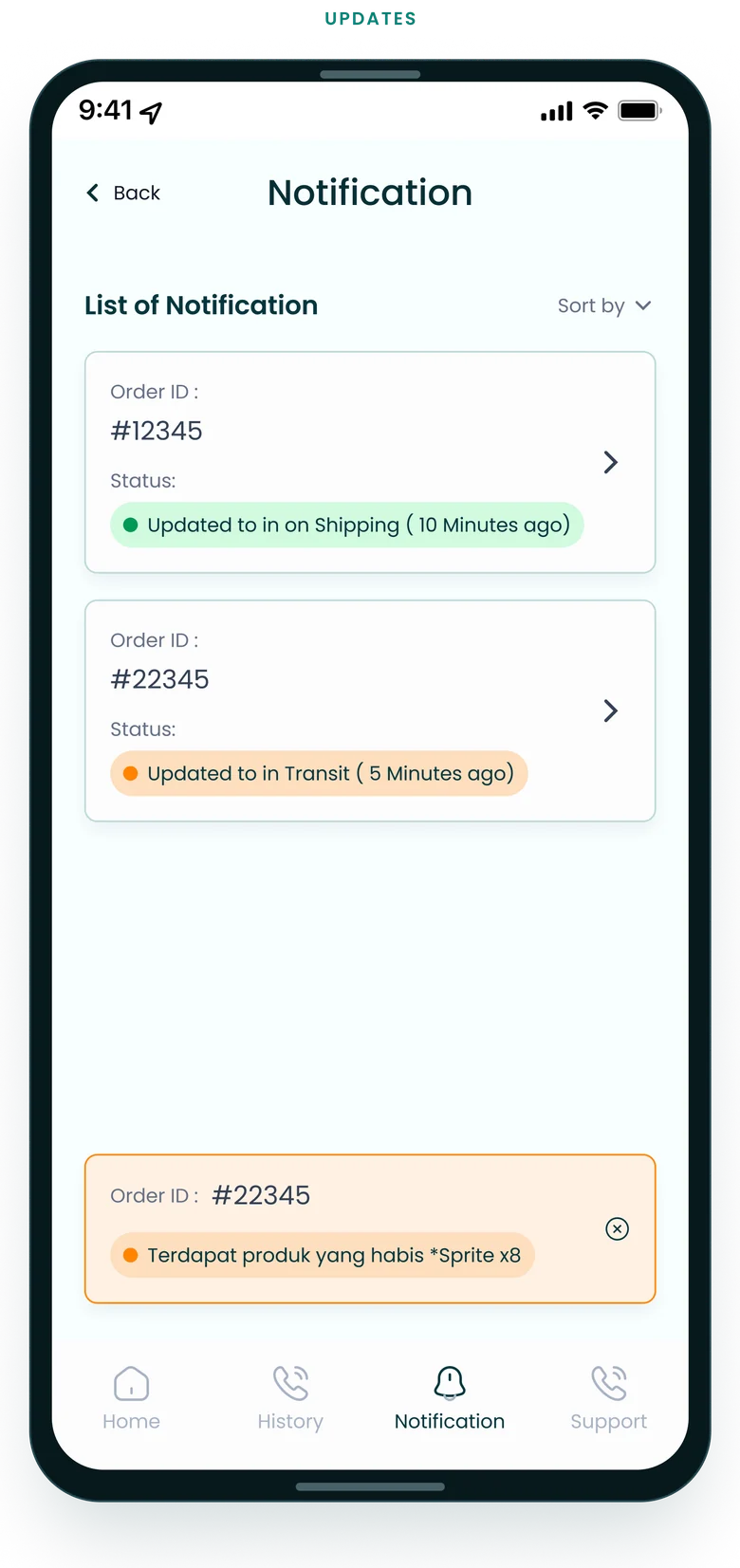
Alerts when an order is late or incomplete.
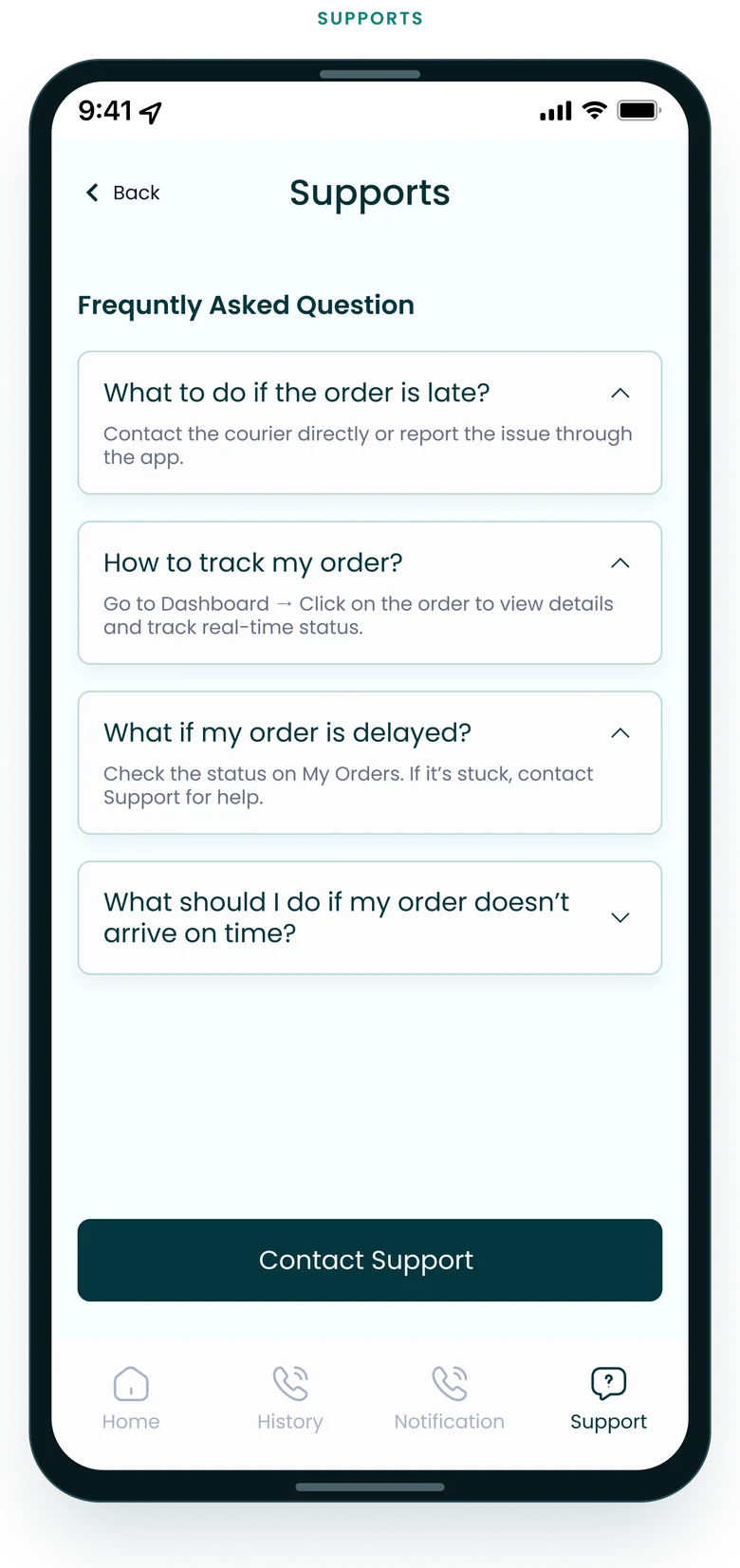
Quick access to order history and support contacts.
Tech behavior
Uses a company laptop at work, but prefers mobile updates on the move.
Comfortable with WhatsApp Web, e-procurement forms and email.
(04)
How I approached it
01 — Discovery & problem framing
Analyzed core procurement pain points and conducted competitor analysis to map existing supply chain app patterns and identify friction points.
02 — Persona & architecture mapping
Defined key procurement staff personas, user journeys and a comprehensive sitemap to structure the mobile ERP navigation.
03 — Wireframing & design system setup
Drafted low-fidelity wireframes and established a dedicated mobile design system for typography, colors and interactive procurement components.
04 — Hi-fi design & interactive prototyping
Created polished high-fidelity mobile screens and clickable Figma prototypes, validating the redesigned order tracking experience.
01
Research
Gather user insights and identify pain points.
02
Ideate
Brainstorm and generate solutions worth testing.
03
Wireframe
Low-fidelity layouts that define the structure.
04
Validate
Test wireframes with target users and gather feedback.
05
Hi-fi design
High-fidelity screens with detailed visual elements.
06
Prototype
Interactive prototypes that simulate the real experience.
07
Iterate
Learn from testing and loop back with the next round.
↺ test, learn, loop back
(05)
Competitor analysis
Shipper, Maersk and the Hydra Supply MVP, compared on what matters to SME and retail buyers: real-time tracking, clarity and support.
PlatformUnique valueAdvantagesDrawbacks
Maersk
Unique value
Fast delivery and an intuitive dashboard keep users’ trust, but lack deeper insight into product-level shipment status.
Advantages
Clean interface, good mobile accessibility, a broad same-day network and strong marketplace integrations.
Drawbacks
Tracking lacks a detailed shipment breakdown; the dashboard is geared to volume shippers rather than SME partners.
Shipper
Unique value
Shows why operational transparency and status documentation matter — and why smaller partners need it simpler.
Advantages
Enterprise-grade tracking with clear shipment milestones, document management and customizable workflows.
Drawbacks
Complex UI built for large corporate logistics, with a steep learning curve for SME users.
Hydra SupplyOur MVP
Unique value
Intentionally lightweight to validate core assumptions first — ideal for iterative development and testing.
Advantages
Focuses on the essentials: real-time shipment visibility, ETA and simple order tracking, built mobile-first for buyers on the go.
Drawbacks
No integrations, historical insights or invoicing workflows yet — scoped on purpose to the most urgent pain points.
Hydra Supply differentiates by simplifying — not overloading — the user journey. Shipper and Maersk excel at advanced logistics; this MVP focuses on real-time visibility, clarity and speed for smaller retail buyers.
(06)
What I designed
Streamlined order tracking
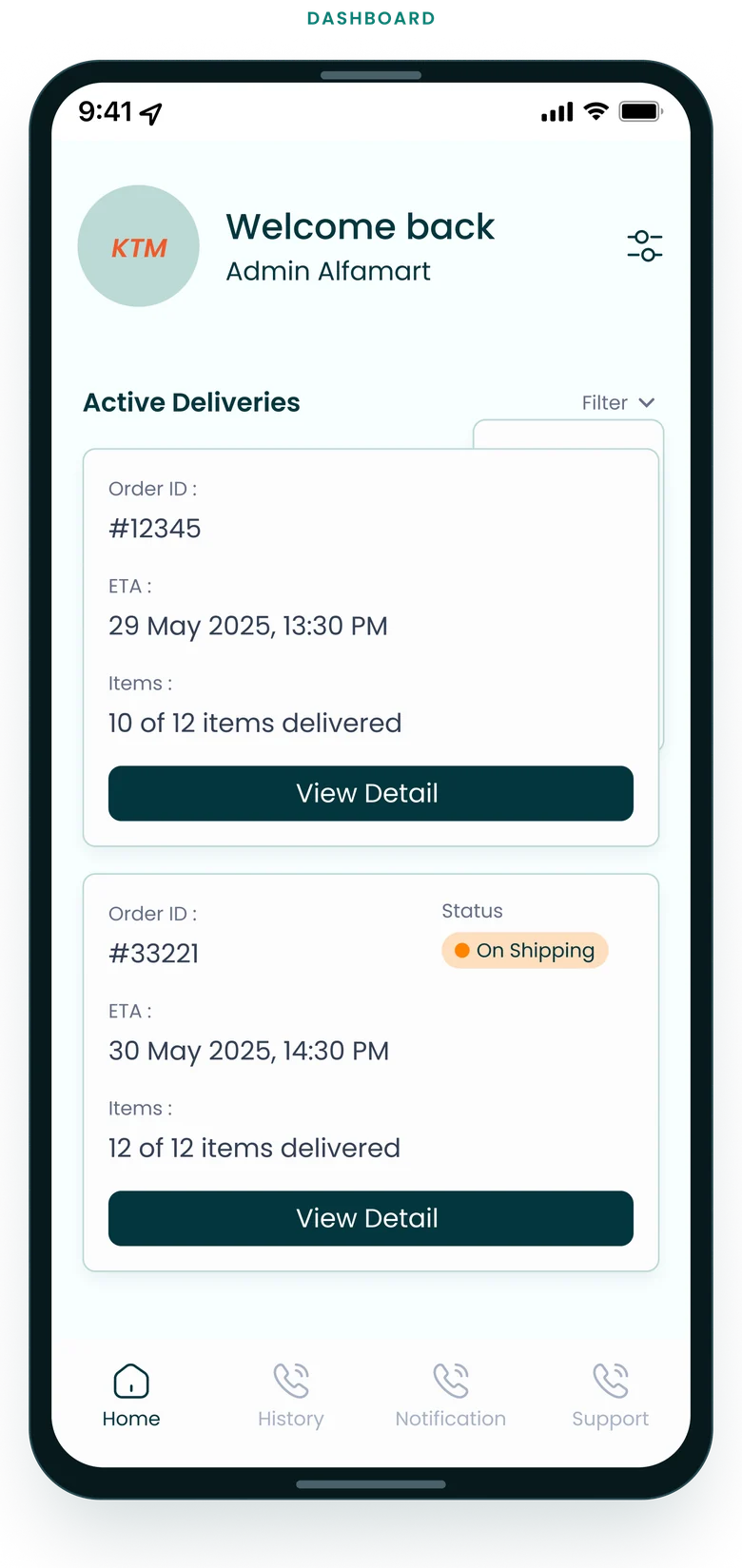
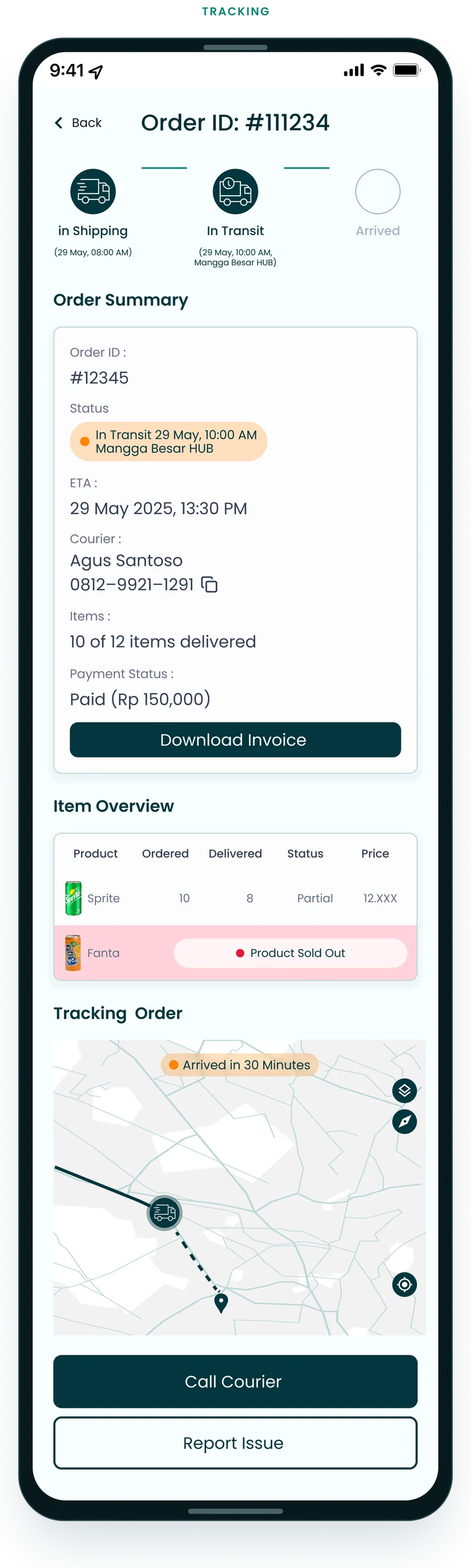
An intuitive, real-time visual tracking interface allowing procurement teams to monitor active shipments from dispatch to final delivery.
B2B bulk ordering flow
A redesigned purchasing experience tailored for procurement staff, featuring structured item selection, quantity controls and simplified checkout.
Mobile design system & component library
A clean, scalable mobile UI component system ensuring design consistency across all procurement and tracking modules.
Information architecture & sitemap
A restructured application navigation hierarchy derived from competitor analysis and user workflow mapping.
(07)
Information architecture
The sitemap behind the app: six areas, each one tap from the dashboard.
Hydra app
Login / Sign up
Logo
Form
Sign up / log in
Dashboard
Tracking status: progress bar, ETA + location, payment status
Filter by status · latest / older
Shipment detail
Order number
Product detail: ordered vs delivered
Shipment status: live progress, ETA
Alert for missing or late items
Notification
List: green complete · yellow on the way · red issue / late
Tap → shipment detail
History
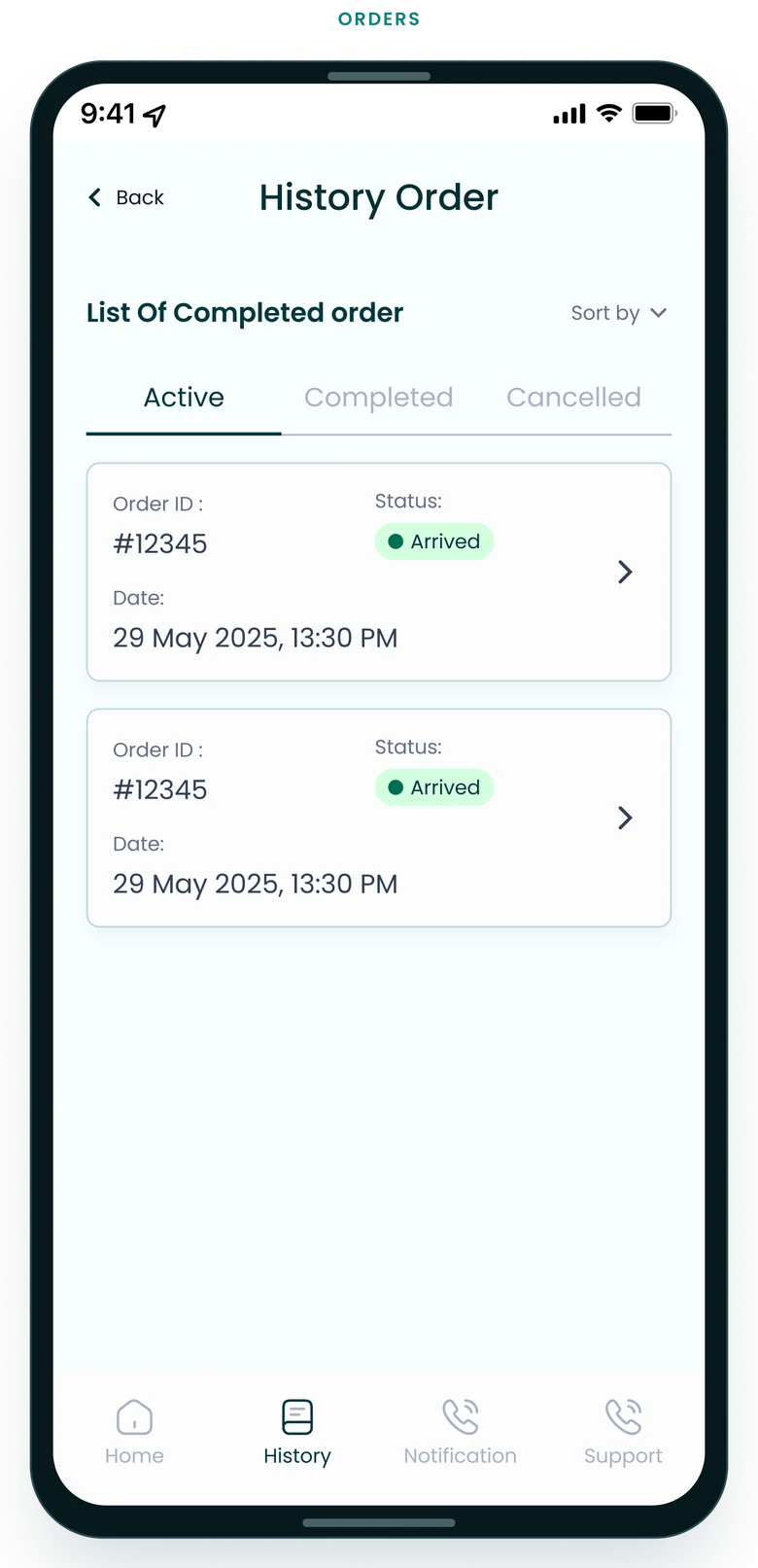
Completed orders
Filter by time or status colour
Support / Help
Contact CS: WhatsApp, phone, email
FAQ
(08)
User flow
How an order travels between the buyer, the Hydra app, the supplier and the courier — and where the buyer steps in to check, verify or raise an issue.
01 · Buyer
Place order
A recurring bulk purchase order.
02 · Supplier
Pack & dispatch
Hydra Supply prepares the order and hands it over.
03 · Courier
Pick up
A courier is assigned and collects the parcel.
04 · Hydra app
In shipping
The status changes and the buyer gets a push notification.
05 · Buyer
Log in
Email and password, with remember-me.
06 · Hydra app
Dashboard
Active deliveries with ETA and item counts, filterable by status.
07 · Hydra app
Order detail
Progress, ETA, courier contact, items and a live map from the courier.
08 · Hydra app
All items delivered?
Ordered vs delivered, item by item.
Yes → verifyNo → stock issue
09 · Buyer
Verify
Confirm the delivery and download the invoice; the order moves to history.
10 · Supplier
Stock issue → support
Sold-out or partial items are flagged; the buyer can call the courier or report an issue.
(09)
Flowchart
The tracking logic behind the screens: what the app checks between opening it and closing an order, and where a late or incomplete delivery is routed.
01 · App
Open app
From a push notification or the home screen.
02 · App
Logged in?
If not: email and password, with remember-me.
03 · App
Deliveries
Active orders, filterable by status, latest or older.
04 · App
Open order
By order ID.
05 · App
Fetch status
Pulled in real time.
06 · App
Status?
Colour-coded, so it reads at a glance.
Green → completeYellow → live map + ETARed → alert + contact CS
07 · App
Items ok?
Ordered vs delivered; a mismatch is reported to customer service.
08 · App
Invoice
Download the PDF.
09 · App
Done
The order moves to history.
(10)
Screens
A showcase of key mobile screens including Welcome/Onboarding, Restructured Navigation Sitemap, Order Tracking Dashboard, B2B Product Catalog, Checkout Flow and Hi-Fi Interactive Prototype States.
(11)
Interactive prototype
The clickable Figma prototype: log in, follow a delivery, check the items and reach support.